Online Driving Simulator for the Israeli Theory Test
Drive in first person and practise the situations that come up in the Israeli theory test – on a computer or a phone, with nothing to install.

Accelerate ↑ · Brake ↓ / Space · Steer ← → · High/low beam H · Signals Q / E
The simulator did not load 😕
Your browser probably does not support 3D graphics (WebGL), or the connection was interrupted. Try refreshing the page, updating your browser or opening the page in Chrome.
Questions from the official bank on this situation:
⭐ This scenario is open in PRO
“Keeping your distance”, “Give right of way”, “Driving in the rain”, “Night: high beam”, “Ambulance behind you” and 18 more – and more scenarios to come – are open to Test1 PRO users, together with unlimited exams, smart review of your mistakes and a test-readiness meter.
The simulator is a tool for practising the rules only and does not replace driving lessons with a licensed instructor.
All scenarios
Every scenario has its own page: the rule, how to pass it, which mistakes fail you and the official theory questions linked to it. 9 scenarios are free for everyone, the rest are in PRO.
- 1. Stop signA full stop before the line, and only then into the intersection Free
-
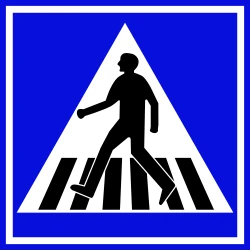 2. Pedestrian crossingA pedestrian steps into the road – what do you do? Free
-
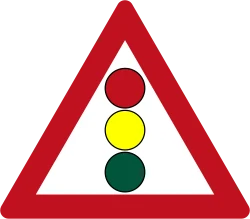 3. Changing traffic lightThe light turns yellow – stop or go on? Free
-
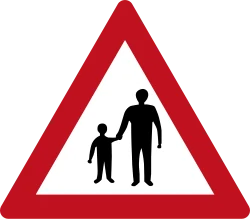 4. Child runs into the roadA street with parked cars, near a school Free
-
 5. Level crossingThe lights are flashing and the barrier is coming down Free
-
 6. Keeping your distanceThe car in front suddenly brakes PRO
-
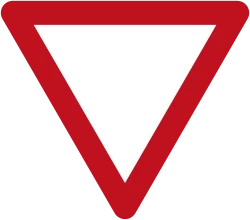 7. Give right of wayJoining an intersection with busy traffic PRO
-
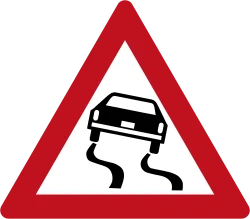 8. Driving in the rainA wet road – the braking distance gets longer PRO
- 9. Night: high beamA dark road – when do you switch to low beam? PRO
- 10. Ambulance behind youA siren in the mirror – how do you make way? PRO
- 11. Safe overtakingA slow truck, a solid line and oncoming traffic PRO
-
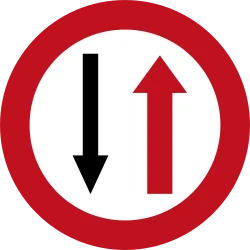 12. Narrow road sectionRoadworks on the road – who goes first? PRO
-
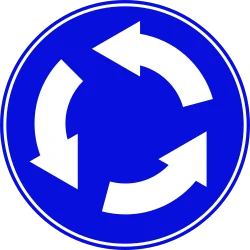 13. RoundaboutWhoever is already in the roundabout goes first – and signal as you leave PRO
-
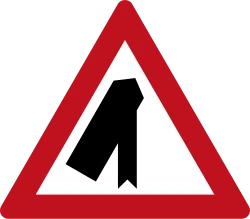 14. Merging onto a freewayAcceleration lane, fast traffic and a safe gap PRO
-
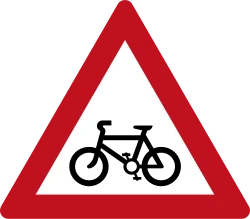 15. Cyclist ahead of youOvertake with a wide side gap – or stay behind PRO
- 16. Bus pulling out of a stopThe bus signals left and starts to pull out PRO
- 17. Driving in fogPoor visibility – slow down, lights on and a bigger gap Free
-
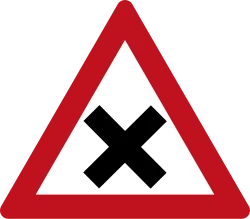 18. Intersection without signsNo sign and no traffic light – who goes in first? Free
-
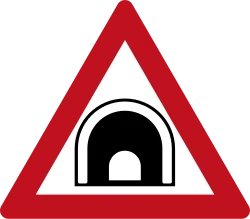 19. Driving through a tunnelLights on, slow down – and no stopping inside PRO
-
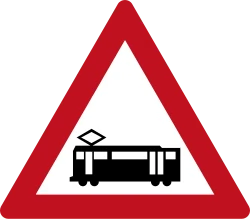 20. Light rail crossingA track crosses the intersection – let the train pass PRO
- 21. Police officer directing trafficThe light is green, but the officer signals you to stop PRO
-
 22. Turning leftSignal, move towards the centre of the road and give right of way to oncoming traffic PRO
-
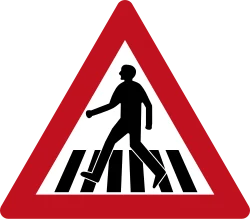 23. Hidden pedestrianThe car in the lane next to you stopped before the crossing – and you? PRO
- 24. Children’s bus stoppedA children’s bus is letting pupils off – stop or pass? PRO
- 25. Leaving a petrol stationAcross the pavement and onto the road – who goes first? Free
- 26. U-turnTurning round at the intersection – only when nobody is approaching PRO
-
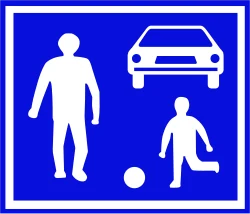 27. Shared streetChildren playing in the road – no more than 30 km/h PRO
-
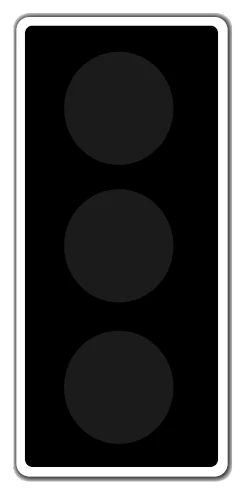 28. Flashing yellow lightThe light is flashing – and the sign decides PRO
- 29. Breakdown on the freewayThe engine is losing power – hard shoulder, vest and triangle PRO
- 30. Phone while drivingThe phone is ringing – answer only hands-free Free
-
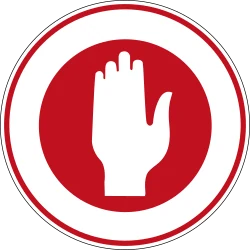 31. Signaller at roadworksA worker holds a portable sign – stop until they let you go PRO
-
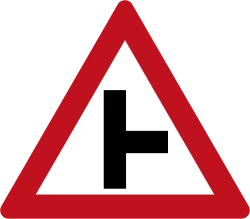 32. Right turn and a cyclistA cyclist on your right – turn only after them PRO
How does the driving simulator work?
You choose a scenario and drive in first person – in town, on an interurban road or on a freeway – and react to what happens on the road: a sign, a pedestrian, a traffic light that changes or a car braking in front of you. The simulator checks whether you followed the traffic rules, and at the end of every drive it explains the rule and links to the official theory questions about it.
What do you practise in the simulator?
Each scenario is built around one decision you are tested on in the theory exam: when to come to a full stop, who has right of way, how big a gap to keep from the vehicle in front, how to adjust your speed to rain, fog and night, when to signal, how to make way for an ambulance and whom to obey when a police officer is directing traffic. The simulator checks what you actually did – your speed, where you stopped, the gap, the lights and the signal – and not just whether you reached the end of the road. That way a rule you read in a book turns into a reaction you have already practised.
Who is the simulator for?
For learners before the theory test who want to see the rules in motion rather than just read them, and for people already taking driving lessons who want to go over situations between lessons. It also suits parents and accompanying drivers who want to refresh the rules, and anyone preparing for the Israeli theory test in English. The simulator does not teach you to drive and does not replace lessons with a licensed instructor: it helps you understand why a rule exists and what the test question is checking.
The theory test in English
Every scenario page lists its official questions in their English version from the Ministry of Transport bank, and the whole bank is on our site too: Israeli theory test practice in English, with a 30-question mock exam, and all official questions in English, by topic. If you are converting a foreign licence and have to take the theory test, see converting a foreign driver’s license in Israel.
Phone or computer?
Both, with nothing to download: the simulator runs in an up-to-date browser that supports 3D graphics (WebGL), for example Chrome or Safari. On a computer the control is more precise, with the keyboard. On a phone you drive with buttons on the screen – turn it to landscape and switch to full screen. The stars you earn are saved in the browser you drove in.
How does it connect to the official theory questions?
Under regulation 205 of the Traffic Regulations, the theory exam tests traffic law, the shape and meaning of road signs, behaviour on the road and knowledge of the vehicle. The simulator focuses on the first three, which makes it a driving simulator for the theory test and not a racing game: each scenario is linked to 2 to 4 questions from the official Ministry of Transport bank – 103 questions in all – and at the end of the drive you see the rule and links to the questions. A good routine: drive a scenario, open its questions, and then test yourself in the mock theory exam.
The rules behind the 32 scenarios
1. Stop sign
Sign 302 (“Stop”) requires a full stop before the stop line – even when the intersection looks empty – and giving right of way to every vehicle approaching on the crossing road.
Related questions: Question 355 · Question 404 · Question 462 · How to pass the scenario
2. Pedestrian crossing
At a pedestrian crossing (sign 306) you give right of way to a pedestrian who is crossing – stop before the crossing and wait until they have finished crossing. Sign 135 warns that a pedestrian crossing is coming up.
Related questions: Question 376 · Question 375 · Question 1318 · How to pass the scenario
3. Changing traffic light
A steady yellow light means that red is about to appear – get ready to stop. Go on only if you are already too close to the line to stop safely. On red and on red-and-yellow you must not cross the stop line.
Related questions: Question 1750 · Question 405 · Question 406 · How to pass the scenario
4. Child runs into the road
Near children, slow down and be ready to stop: a ball rolling into the road is a sign that a child may run after it. Between parked cars it is hard to see pedestrians – drive slowly and keep away from the roadside.
Related questions: Question 480 · Question 1318 · How to pass the scenario
5. Level crossing
When approaching a railway level crossing, slow down so that you are able to stop. When the lights flash or the barrier is coming down: stop before the stop line (if there is no line – before the barrier) and do not go on until the lights go out and the barrier goes up. Overtaking is forbidden within the 100 metres before the track.
Related questions: Question 155 · Question 157 · Question 394 · How to pass the scenario
6. Keeping your distancePRO
The law requires a gap of at least one second from the vehicle in front of you, and in practice 2 seconds or more is recommended – a gap that lets you stop at any time and prevent a rear-end collision.
Related questions: Question 138 · Question 137 · Question 814 · How to pass the scenario
7. Give right of wayPRO
Sign 301 requires you to give right of way to traffic on the crossing road. You do not have to stop when the road is clear – but you must slow down, look both ways, and enter only when there is a safe gap.
Related questions: Question 403 · Question 355 · How to pass the scenario
8. Driving in the rainPRO
On a wet road the grip of the tyres drops and the braking distance gets much longer. Slow down, increase the gap from the vehicle in front of you (3 seconds or more) and brake early and gradually.
Related questions: Question 611 · Question 774 · Question 671 · How to pass the scenario
9. Night: high beamPRO
On an unlit road it is permitted and advisable to drive with high beam, but you must switch to low beam when a vehicle approaches from the opposite direction – otherwise you dazzle the driver coming towards you. If you are dazzled: slow down, keep to the right and look at the edge of the road.
Related questions: Question 1542 · Question 253 · Question 852 · How to pass the scenario
10. Ambulance behind youPRO
When you notice a “security vehicle” (ambulance, police, fire service) with flashing lights and a siren – give it right of way: at once steer your car as close as possible to the right-hand edge of the road, away from an intersection, and stop there until it has passed. After it has passed – keep a distance of at least 100 metres from it.
Related questions: Question 248 · Question 247 · Question 249 · How to pass the scenario
11. Safe overtakingPRO
Overtake only on the left, only where it is allowed (a broken line, not a solid separation line) and only when the road is clear for a sufficient distance to complete the overtaking safely. Overtaking is forbidden when visibility is limited, and crossing a solid separation line is forbidden.
Related questions: Question 129 · Question 447 · Question 123 · How to pass the scenario
12. Narrow road sectionPRO
Sign 307 means that on the narrow section the right of way belongs to traffic from the opposite direction: stop before the section and wait until it is clear. At the opposite entrance to the section there is sign 308 – and those coming from there have right of way over you.
Related questions: Question 390 · Question 121 · Question 744 · How to pass the scenario
13. RoundaboutPRO
In a roundabout (sign 303) the right of way belongs to whoever is already driving in it – including a cyclist. Slow down before the roundabout and be ready to stop, and enter only when the vehicle in the roundabout can carry on without braking. Pass through the roundabout on the right, and before leaving it signal right – you signal before every turn or move out of your lane.
Related questions: Question 721 · Question 551 · Question 431 · Question 163 · How to pass the scenario
14. Merging onto a freewayPRO
When merging (sign 126) you give right of way to the traffic on the road to your left and merge with care – the vehicles already on the road do not have to make room for you. Giving right of way means that they carry on without changing speed and without leaving their lane, so you accelerate in the acceleration lane and merge only at a sufficient gap. On a freeway the maximum speed for a private passenger car is 110 km/h, and stopping on it is forbidden unless marked otherwise.
Related questions: Question 437 · Question 27 · Question 150 · Question 197 · How to pass the scenario
15. Cyclist ahead of youPRO
A cyclist may swerve or fall into the road. So slow down behind them, and overtake only when the road is clear and the field of vision is open: signal before moving out and pass them on the left, as far away as possible, while watching their movements. If there is not enough room – stay behind them.
Related questions: Question 907 · Question 129 · Question 130 · How to pass the scenario
16. Bus pulling out of a stopPRO
When a vehicle in front of you signals – let it do what it signalled: slow down, and stop if necessary. A vehicle standing at the edge of the road may start moving and push into your lane, so slow down as soon as you see it and be ready to stop. After it has merged – keep a gap from it.
Related questions: Question 169 · Question 969 · Question 968 · How to pass the scenario
17. Driving in fog
When visibility is poor, the law requires you to slow down and to drive with your lights on, even in the middle of the day – fog counts as “lighting-up time”. Turn on low beam, keep a bigger gap than usual from the vehicle in front, and do not overtake. Fog lights may be used only in fog, heavy rain or snow.
Related questions: Question 1493 · Question 1598 · Question 1774 · Question 1074 · How to pass the scenario
18. Intersection without signs
At an intersection where no “Give right of way” or “Stop” sign has been placed in your direction of travel, you give right of way to the vehicle coming from the right – even when it is a cyclist. Sign 114 (crossroads) only warns of the intersection and does not decide who has right of way. A driver coming out of a dirt road onto a paved road gives right of way to the vehicle approaching on the paved road.
Related questions: Question 1741 · Question 175 · Question 1548 · Question 422 · How to pass the scenario
19. Driving through a tunnelPRO
When entering a tunnel and while driving through it you must slow down, and you drive in it with your lights on, even by day. It is forbidden to stop, stand or park a vehicle inside a tunnel, and also within 50 metres before and after it – except when you have to, for example to prevent an accident. Sign 138 warns that a tunnel is coming up, and sign 633 marks the tunnel itself.
Related questions: Question 616 · Question 1797 · Question 211 · Question 1278 · How to pass the scenario
20. Light rail crossingPRO
Sign 128 warns that a local train (light rail) crosses the road, from both directions: slow down and observe the right-of-way rules at the place. The signs “Give right of way” (301) and “Stop” (302) require you to give right of way to traffic on the track too – so here you let the train pass. Do not enter the intersection if you cannot get through it and carry on – so as not to get stuck on the track.
Related questions: Question 445 · Question 446 · Question 1751 · How to pass the scenario
21. Police officer directing trafficPRO
You must obey the directions and signals of a police officer in uniform even when they contradict a traffic light or a sign – and with great care. A raised hand with an open palm towards you means “stop”, and so does the officer’s back turned towards you: you stop. An arm stretched out parallel to your direction of travel, with an open palm, means “proceed”.
Related questions: Question 60 · Question 65 · Question 61 · Question 67 · How to pass the scenario
22. Turning leftPRO
Before a turn you signal, and from a two-way road you turn left with the car as close as possible to the centre of the road. A driver turning left gives right of way to a vehicle coming from the opposite direction that is in the intersection or close to it – always, no matter where it is going. At an intersection without signs you also give right of way to the vehicle coming from the right.
Related questions: Question 1779 · Question 175 · Question 753 · Question 163 · How to pass the scenario
23. Hidden pedestrianPRO
It is forbidden to overtake or pass a vehicle that has stopped before a pedestrian crossing. When a vehicle in another lane slows down before a pedestrian crossing – you slow down too, and if it has stopped – you stop too and give right of way to the pedestrian who is crossing. In general, when approaching a pedestrian crossing you slow down, and you do not overtake until you have passed it.
Related questions: Question 1536 · Question 134 · Question 1318 · Question 1747 · How to pass the scenario
24. Children’s bus stoppedPRO
When a vehicle that carries children and is marked with a “Children” sign stops to let them on or off, you must slow down as you approach it and as you pass it – and stop if necessary. There is no duty to always stop and wait behind it: you may pass it, but slowly and ready to stop, because a child may cross in front of it or behind it.
Related questions: Question 922 · Question 923 · Question 480 · How to pass the scenario
25. Leaving a petrol station
Driving on the pavement is allowed only in order to cross it when entering or leaving premises. A driver leaving a yard, an access road to a house, a petrol station or a car park slows down, and stops if necessary, to let pedestrians pass safely before driving onto the pavement. Before entering the road you give right of way to every vehicle approaching on it, from any direction. The intersection rules do not apply here, and neither does “the one coming from the right”.
Related questions: Question 178 · Question 173 · Question 174 · Question 1764 · How to pass the scenario
26. U-turnPRO
A U-turn is allowed only when it causes no disturbance to traffic and no risk to road users – and it is forbidden when you are approaching a bend or a steep crest, or in a place where a driver approaching from any side cannot see you. You turn from a left-turn lane, or from any other lane that has no sign or marking forbidding it; a lane that requires you to drive only straight on or only to the right counts as forbidding it. At an intersection without a “Stop” or “Give right of way” sign you give right of way to the vehicle coming from the opposite direction. And it is forbidden to cross an unbroken separation line in order to turn round.
Related questions: Question 117 · Question 1718 · Question 1336 · Question 792 · How to pass the scenario
27. Shared streetPRO
A shared street is a road intended for children’s games, pedestrians and vehicles, with a “Shared street” sign (220) placed at its entrance. The speed in it must not exceed 30 km/h, and the driver must allow the pedestrians and the children playing to carry on with their activity – and drives on only after making sure that this will not endanger them. In a traffic-calming zone (sign 222), too, the maximum speed is 30 km/h, and you must slow down.
Related questions: Question 78 · Question 154 · Question 34 · Question 908 · How to pass the scenario
28. Flashing yellow lightPRO
A flashing yellow light means “Proceed carefully”: you slow down, and if necessary stop, to let a pedestrian finish crossing safely – and you drive according to the signs at the intersection and the right-of-way rules. A working traffic light overrides every sign that sets right of way – except a flashing yellow light. So here the “Give right of way” sign decides, and you let the traffic on the crossing road pass.
Related questions: Question 59 · Question 246 · Question 672 · Question 668 · How to pass the scenario
29. Breakdown on the freewayPRO
Stopping on a freeway is forbidden, except for a vehicle that has broken down: you drive it to the hard shoulder as far as possible and remove it from the road as quickly as possible. Before moving onto the hard shoulder you look behind, signal and slow down gradually. A vehicle you were forced to leave standing on the road is marked with a warning triangle that a driver coming from behind can see from at least 100 metres away. On a non-urban road whoever gets out of the vehicle wears a fluorescent vest – and if a passenger has already got out wearing a vest, the driver is exempt.
Related questions: Question 198 · Question 722 · Question 1398 · Question 831 · How to pass the scenario
30. Phone while driving
While the vehicle is moving it is forbidden to hold a phone, and you may use it only by means of a hands-free device – a device that allows the phone to be used without holding it, with the phone placed in the vehicle in a stable way that prevents it from falling. It is forbidden to send or read a text message (SMS) while driving. You hold the steering wheel with both hands, and take a hand off only when you need to do something with it for the proper working of the vehicle or to comply with the traffic rules, such as signalling or changing gear.
Related questions: Question 76 · Question 399 · Question 75 · Question 1064 · How to pass the scenario
31. Signaller at roadworksPRO
When a road is blocked and room is left in it for traffic in one direction only, you obey the signal of a police officer, of a signaller or of a sign; only when there is none of these does the one whose lane is blocked give right of way to the one coming from the opposite direction. Portable sign 304 (“Stop!”) requires you to stop as long as it is held up in front of you, and sign 305 allows you to proceed carefully. At a roadworks site you slow down and obey the directions of the workers and all the signs there – signs and markings in orange mark a work site.
Related questions: Question 191 · Question 537 · Question 538 · Question 63 · How to pass the scenario
32. Right turn and a cyclistPRO
You turn right only when the vehicle is as close as possible to the right-hand edge of the road and no other vehicle is moving on its right-hand side – and a bicycle is a vehicle too. So before the turn you check in the mirror and in the blind spot that there is no cyclist or motorcycle on the right; if there is – you let them carry on and turn behind them. You turn only at a reasonable speed and safely, and you signal before the turn.
Related questions: Question 109 · Question 879 · Question 725 · Question 782 · How to pass the scenario
Simulator controls
- On a computer: up arrow (or W) – accelerate, down arrow / Space – brake, left and right arrows – steer.
- On a phone: the steering buttons are on the left, brake and accelerator on the right. Full screen in landscape works best.
- The speed limit is shown on the sign and in the corner of the screen: 50 km/h in town, 30 near the school, 80 on the interurban road and 110 on the freeway.
- Lights: the H key (or the 💡 button). In the night scenario it switches between high and low beam; in the fog and tunnel scenarios the first press turns the lights on.
- Signals: Q – left, E – right (on a phone: the ⇦ ⇨ buttons above the steering buttons). Press again to turn the signal off. Used, for example, in the roundabout, freeway merge, cyclist and left-turn scenarios.
- Camera, horn and sound: the C key (or 🎥) switches between the driver’s seat and a view from behind the car, the B key (or 📯) sounds the horn, and the 🔊 button mutes the sound.
- Graphics: in the scenario menu choose Automatic, Cinematic, Balanced or Light (for a weak device).
- Stars: a drive without a single warning earns three stars, one or two warnings two stars, and three or more one star.
- You can send a friend a direct link to a scenario – for example the child and ball scenario – or its explanation page.
Want to practise the questions themselves? Go to the mock theory exam in English or browse all official questions by topic.
Frequently asked questions
Is the driving simulator free?
Do I need to download or install anything?
Does the simulator work on a phone?
Is the simulator in English?
Can I take the Israeli theory test in English?
Does every scenario have an explanation page?
Does a driving simulator replace driving lessons?
How does the simulator help with the theory test?
Sources: Traffic Regulations (Hebrew; regulation 205 – subjects of the theory exam) · theory question bank on data.gov.il.