Free for everyone – no sign-up and nothing to install, on a computer or a phone.
The mission
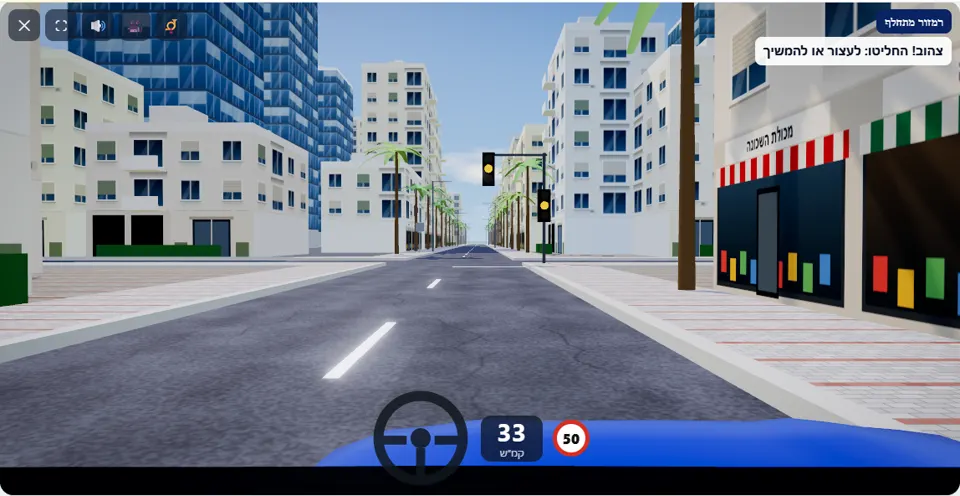
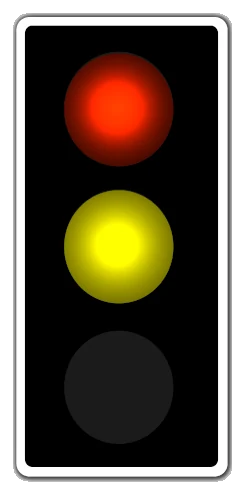
Drive to the intersection with traffic lights. If the light changes, make the right decision: stop before the line, or go on only if you can no longer stop safely.
You are driving towards an intersection with traffic lights and the light is green. With a few dozen metres left to the stop line it turns yellow, and the mission line calls out: “Yellow! Decide: stop or go on”. About three seconds later comes the red, and then the traffic on the crossing road starts to move.
At the moment of the change the simulator calculates whether you could have stopped safely before the line, from your speed and the distance left. In this scenario the change always happens far enough from the line, so at the speed limit there is always room to stop – and a driver who speeds up to “catch” the yellow fails. After stopping you wait through the whole red and also through the red-and-yellow, and go on only on green.
How to pass the scenario
- Approach the intersection at a steady speed, not above 50 km/h, and watch the traffic light, not just the road.
- When the light turns yellow – brake at once and gradually, and stop before the stop line.
- Wait where you are during the red, while cars cross the intersection in front of you.
- Red together with yellow is still not permission to go. Start driving only when the green comes on.
Mistakes that fail you
Each of these mistakes ends the drive at once, with the message quoted next to it:
- Going on and crossing the line on yellow. The simulator: “You entered the intersection on a yellow light although there was enough room to stop safely.”
- Crossing the line on red or on red-and-yellow. The simulator: “You crossed the stop line on a red light.”
- Entering the intersection while a car is crossing it. The simulator: “You collided with another vehicle.”
In this scenario there are no warnings about the way you brake: a driver who stopped before the line and waited for green gets three stars, unless they went over the speed limit on the way. Hard braking also counts as a pass – but the real practice is spotting the yellow early.
The speeds, distances and seconds the simulator checks are game thresholds, not numbers from the law – unless they appear in the rule itself.
Keys and buttons in this scenario
Only accelerator and brake. Signals and lights are not active in this scenario.
In all scenarios: on a computer – arrows or WASD to accelerate and steer, and Space to brake; on a phone – accelerator, brake and steering buttons on the screen. The C key or the 🎥 button switches between the driver’s seat and a view from behind the car, the B key or the 📯 button sounds the horn, and the 🔊 button mutes the sound.
The official theory questions on this situation
The scenario is built on 3 questions from the official Ministry of Transport bank. Each question has its own page, with all the answers:
- 1750 When a traffic light displays a stable (not flashing) yellow light:
Correct answer: It indicates that the red light is about to appear. You should prepare to stop or clear the intersection immediately.
- 405
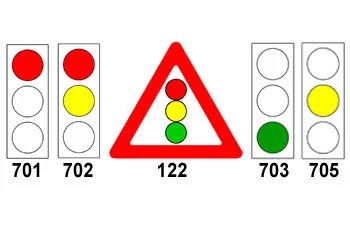 Which traffic sign should appear after traffic sign 705?
Correct answer:
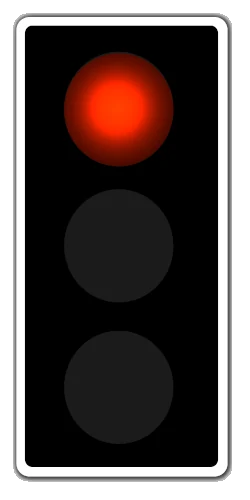 Sign 701
- 406
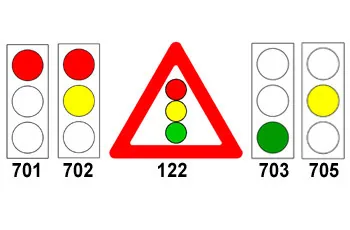 Which traffic sign should appear after traffic sign 701?
Correct answer:
 Sign 702
Where to go next
Related scenarios
FAQ about the “Changing traffic light” scenario
Can you go through on yellow in this scenario without failing?
What do you do on red-and-yellow?
Why do cars cross the intersection during the red?
Sources: Traffic Regulations (Hebrew) · theory question bank on data.gov.il. The simulator is a tool for practising the rules only and does not replace driving lessons with a licensed instructor.