For PRO users it opens straight in the simulator. Not PRO yet? All about PRO, and meanwhile 9 scenarios are free for everyone. The PRO app interface is in Hebrew.
The mission
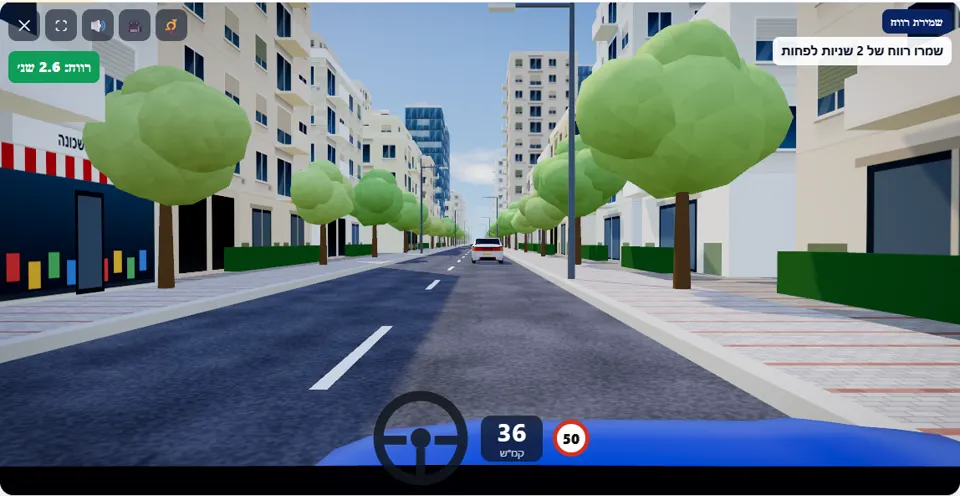
Follow the car in front of you on a city road. Keep a gap of at least 2 seconds – it may brake without warning.
There is no intersection, sign or pedestrian here – just one car driving in front of you on a city street for about 40 seconds. In the corner of the screen a gap meter shows, at every moment, how many seconds separate you: green from 2 seconds up, orange between one and two, and red below one second.
Twice during the drive the car in front brakes hard to a stop, for no visible reason, stands for a moment and drives on. A driver who kept two seconds stops calmly behind it. A driver who was driving close behind finds that there is no room left to stop.
How to pass the scenario
- Let the car in front pull away a little at the start of the drive, until the meter shows 2 seconds or more.
- Keep the meter green: when the number drops, ease off the accelerator, and do not wait for it to turn orange.
- When the brake lights in front of you come on – brake at once, and stop at a distance from it.
- When it drives off again, do not leap after it: rebuild the gap before you get back up to speed.
Mistakes that fail you
Each of these mistakes ends the drive at once, with the message quoted next to it:
- Driving less than one second behind for more than a moment. The simulator: “You drove too close to the car in front (less than one second).”
- Not managing to stop when it brakes. The simulator: “You crashed into the car in front – there was no gap left to stop.”
Dropping below 2 seconds while driving adds the warning “Gap under 2 seconds – increase the distance”. Two seconds is the target the scenario sets, in line with the recommendation in the rule; the fail itself comes only below one second.
The speeds, distances and seconds the simulator checks are game thresholds, not numbers from the law – unless they appear in the rule itself.
Keys and buttons in this scenario
Accelerator and brake only. The gap meter appears in the corner of the screen, below the tool buttons.
In all scenarios: on a computer – arrows or WASD to accelerate and steer, and Space to brake; on a phone – accelerator, brake and steering buttons on the screen. The C key or the 🎥 button switches between the driver’s seat and a view from behind the car, the B key or the 📯 button sounds the horn, and the 🔊 button mutes the sound.
The official theory questions on this situation
The scenario is built on 3 questions from the official Ministry of Transport bank. Each question has its own page, with all the answers:
- 138
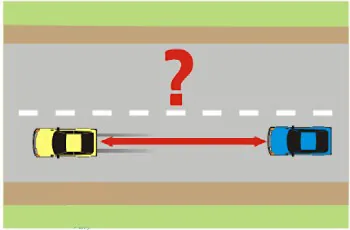 What is the minimal gap that you should legally maintain from the vehicle in front of you?
Correct answer: The distance traveled in one second of driving.
- 137 What gap should be maintained from the vehicle that is driving in front of us?
Correct answer: A gap which always allows us to stop and prevent a collision..
- 814 Keeping a safe distance from the vehicle in front of us is required:
Correct answer: In order to prevent a rear-end collision when the vehicle in front stops or slows down.
Where to go next
- Drive the “Keeping your distance” scenario in the simulator (opens for PRO users)
- All 32 scenarios of the driving simulator
- Test yourself: mock theory exam in English
Related scenarios
FAQ about the “Keeping your distance” scenario
How does the simulator measure the gap?
Why is the target 2 seconds if you only fail below one second?
Where can I practise keeping a gap in harder conditions?
Sources: Traffic Regulations (Hebrew) · theory question bank on data.gov.il. The simulator is a tool for practising the rules only and does not replace driving lessons with a licensed instructor.